
How to Use Amiibo in Animal Crossing: New Horizons (Invite Villagers)
Invite eligible villagers to your island and unlock posters in Animal Crossing: New Horizons using amiibo cards, with notes for the Ver. 3.0 Zelda and Splatoon figure exception.
Quick Start
- Unlock Campsite: Upgrade Resident Services & build campsite.
- Invite via Terminal: Use Nook Stop -> 'Invite amiibo camper'.
- Scan & Craft: Scan card. Repeat for 3 days to recruit.
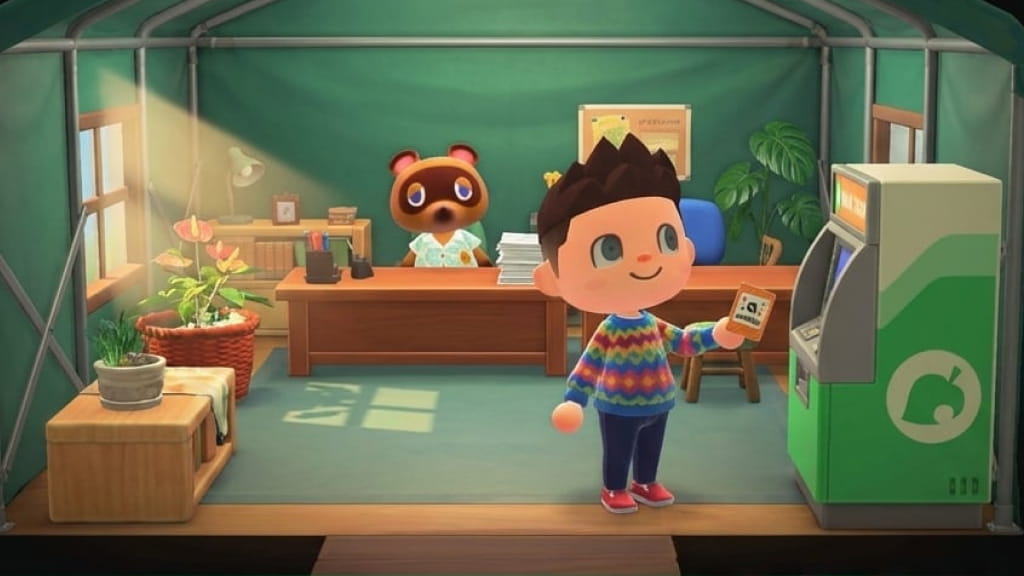
Waiting for your dream villager to randomly show up at your campsite can take a long time. If you want Raymond, Marshal, Ankha, or another eligible villager on your island, amiibo gives you a direct path.
For ordinary Animal Crossing villagers, supported amiibo cards are the reliable campsite move-in tool. Ver. 3.0 also adds a special exception for compatible Zelda and Splatoon figures, which can invite Tulin, Mineru, Cece, or Viché. Plus, supported amiibo can unlock posters and other catalog rewards. Here is exactly how to use them.
Amiibo Rewards in Animal Crossing
In New Horizons, amiibo cards are powerful tools for island management:
- Invite Eligible Villagers: Summon a supported villager to your campsite.
- Force Eviction: If your island is full (10 villagers), inviting an amiibo camper lets you choose exactly who to kick out. This is the most powerful feature in the game.
- Photo Studio: Summon characters to Harvey's Island for photoshoots.
- Posters: Unlocks purchasable posters of the character at Nook Shopping.
Compatible Amiibo List
- Series 1-5 Amiibo Cards: These are the main cards. They allow you to invite villagers to live on your island.
- Sanrio Collaboration Pack: Unlocks exclusive Sanrio-themed villagers and furniture (Hello Kitty, etc.).
- Amiibo Figures: Animal Crossing special-character figures (like Isabelle or Tom Nook) work for Photoshoots/Posters but cannot live on your island. The Ver. 3.0 exception is compatible Zelda and Splatoon figures, which can invite Tulin, Mineru, Cece, or Viché and unlock themed items.
Step-by-Step: How to Invite Villagers
- Unlock the Feature: Upgrade Resident Services to a building and build the campsite. Wait for your first random camper to visit. After that, Nook enables the amiibo terminal.
- Go to Nook Stop: Interact with the ATM machine in Resident Services.
- Select "Invite a Camper": Choose the option and scan your card when prompted.
- The "3-Day Rule": This is important. The villager will visit, but they won't move in yet. You must invite them 3 separate times (over 3 days) and craft the souvenir they ask for each time. On the 3rd visit, they will agree to move in.
Frequently Asked Questions
Q: Can I kick out a specific villager? A: Yes! This is the best part. When the amiibo camper agrees to move in, if your town is full, they will ask you who should leave. You can finally evict that one villager who refuses to leave.
Q: Do figures work for inviting villagers? A: Usually no for Animal Crossing special-character figures. To move in ordinary Animal Crossing villagers, use supported villager cards. Ver. 3.0 adds a separate Zelda/Splatoon figure exception for Tulin, Mineru, Cece, and Viché.
Q: Can I invite special characters like Tom Nook? A: You can invite them to Photopia for pictures, but special NPCs (Isabelle, Nook, etc.) cannot live in villager houses on your island.
Final Thoughts
Stop leaving your island population entirely to RNG. Amiibo cards give you direct control over eligible Animal Crossing residents, and Ver. 3.0 expands the system with Zelda and Splatoon crossover figures. Whether you are building an all-cat island or planning a crossover room, scanning the right amiibo is the cleanest way to curate your island.