Popular villager cards
Use these when your goal is moving in a specific high-demand villager. Popularity changes, so treat this as a useful starting set rather than an absolute ranking.

Animal Crossing amiibo field guide
In Animal Crossing: New Horizons, amiibo cards invite eligible villagers through the campsite, while officially listed Ver. 3.0 Zelda and Splatoon figures can invite crossover villagers. Cards and figures can also unlock posters and bring supported characters into Photopia, The Roost, Happy Home Paradise, and the resort hotel.
Campsite invite
This is the main amiibo task in New Horizons. Use a supported villager card, complete the campsite request loop, and only promise a move-in after the game actually offers the option.
Upgrade Resident Services
First, progress until Resident Services has changed from a tent into a building. The campsite and Nook Stop amiibo option are not available at the start of a new island.
Build and unlock the campsite
Follow Tom Nook's requests until you can place the campsite construction kit. After it is built, continue the campsite introduction sequence.
Finish the first random campsite visitor
The first campsite visitor is part of the island progression. Handle that visit before relying on amiibo invites for specific villagers.
Use the Nook Stop terminal
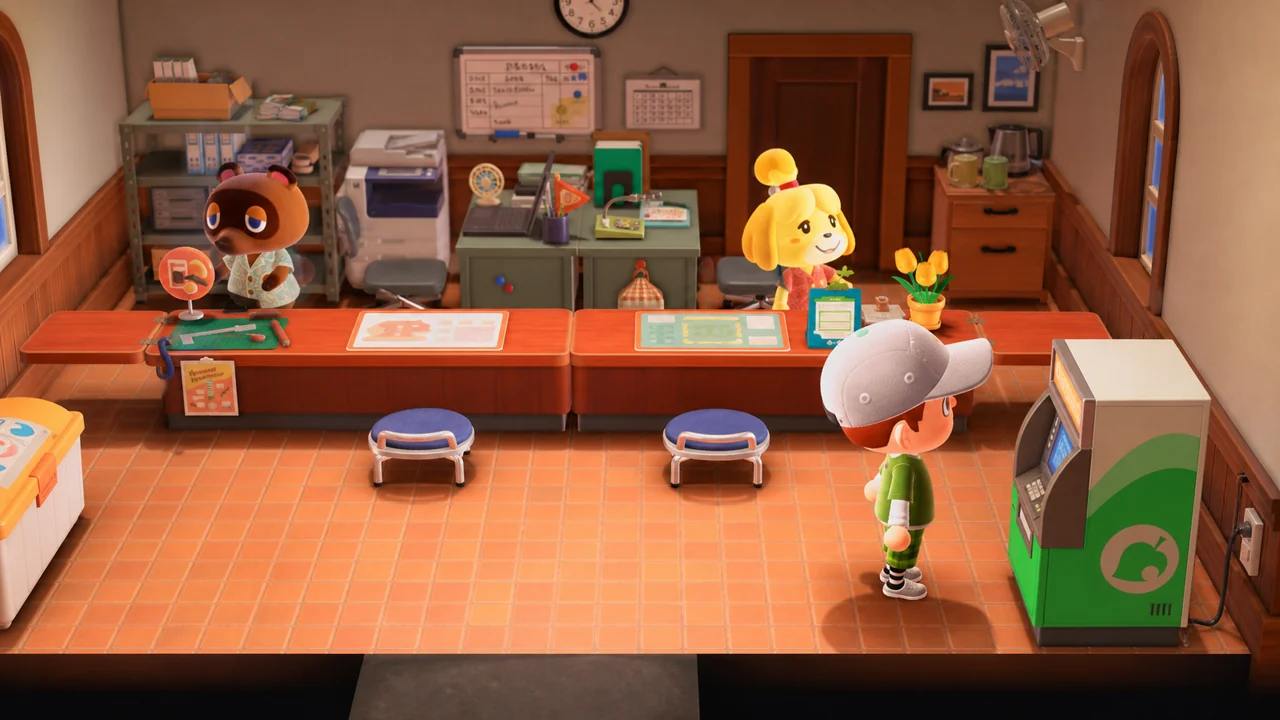
Enter Resident Services and interact with the Nook Stop terminal. This is the terminal inside the building, not the ABD or another menu outside the amiibo flow.
Choose Invite a Camper
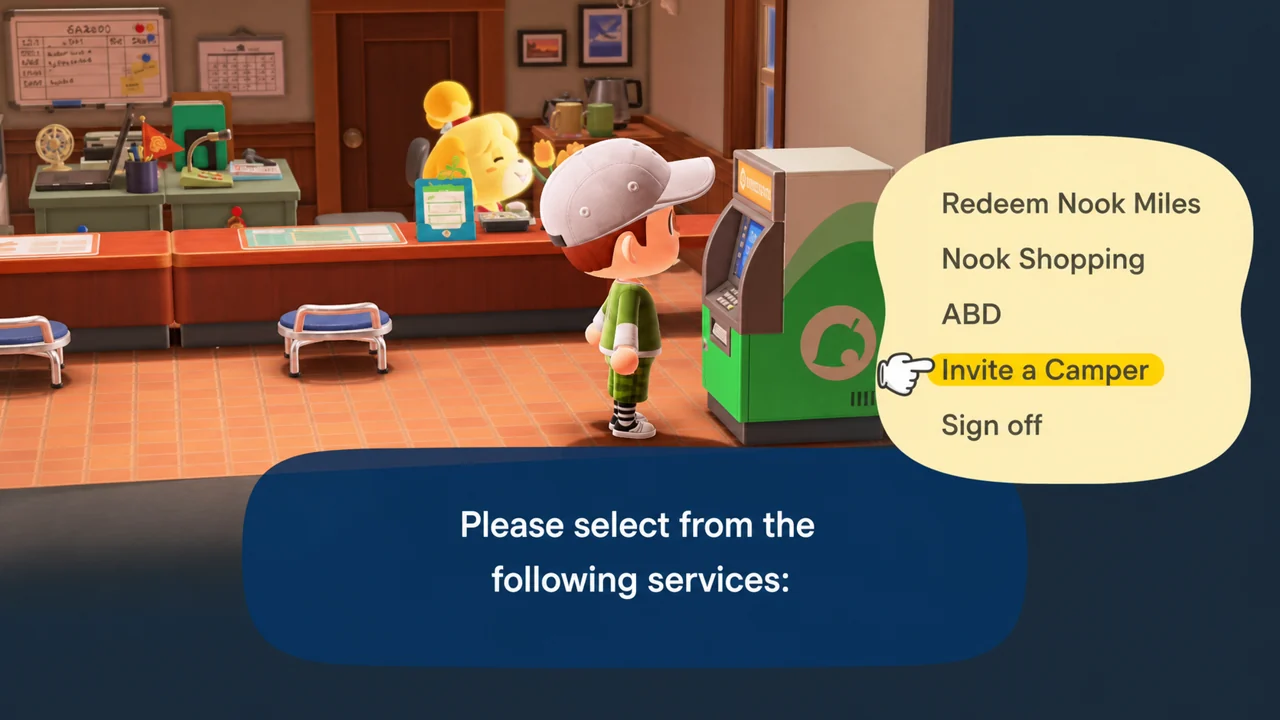
Select Invite a Camper from the Nook Stop menu. If you do not see it, your campsite progression probably is not complete yet.
Scan a supported villager amiibo
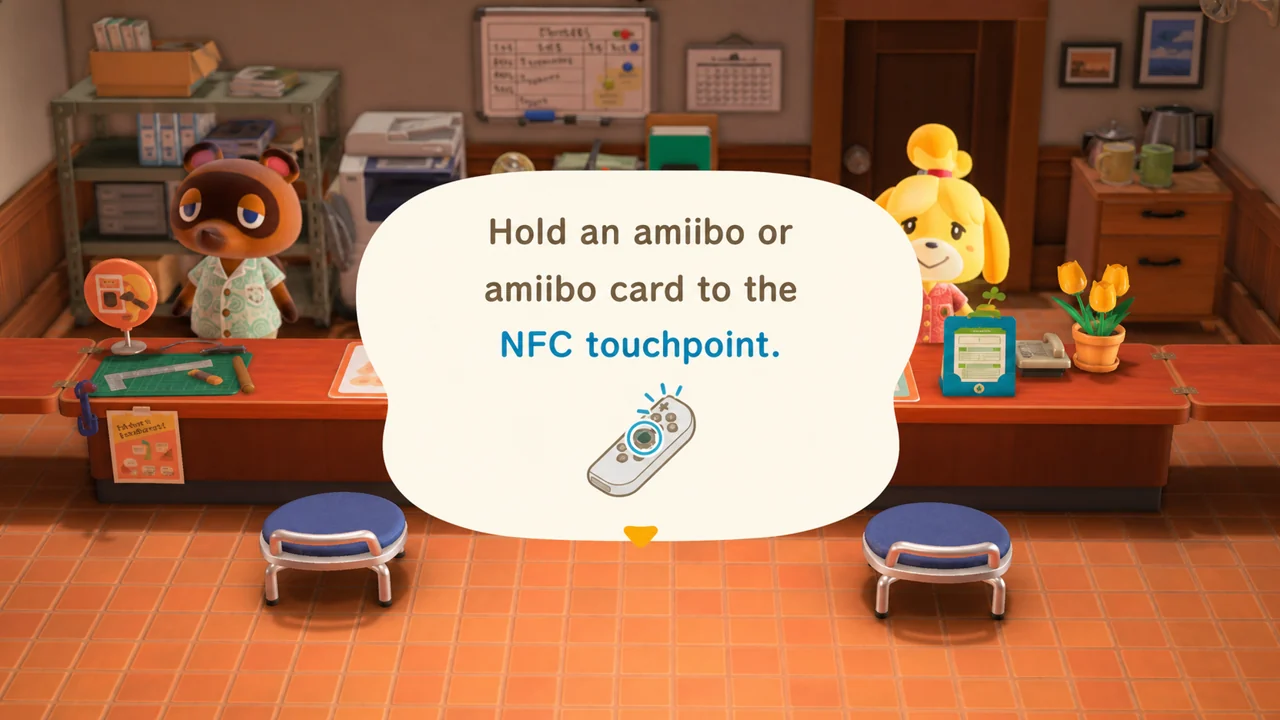
Wait until the game shows the NFC touchpoint prompt, then scan the eligible villager card. For the Ver. 3.0 crossover villagers, scan a Zelda or Splatoon figure from Nintendo's compatibility list instead. Special NPC cards and Animal Crossing special-character figures are useful elsewhere, but they cannot become island residents.
Talk to the camper and craft the DIY request
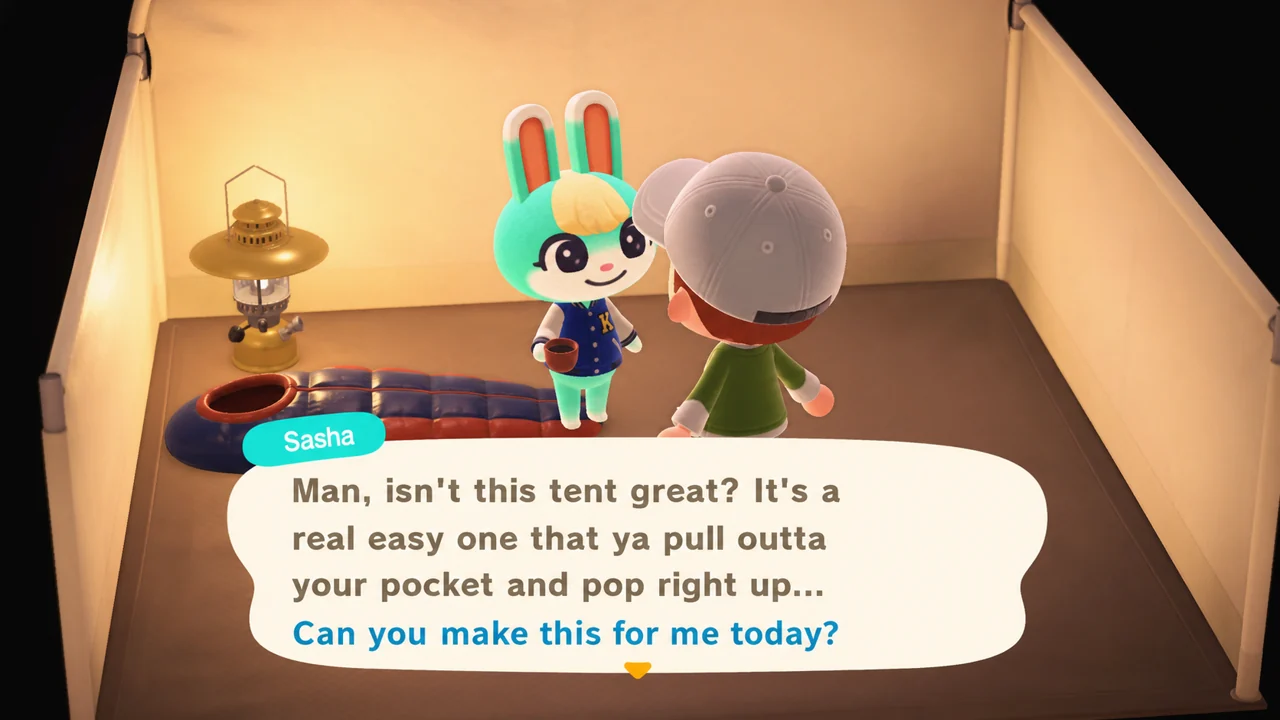
Visit the campsite, talk to the camper, and complete the item they ask you to craft. Keep the conversation going after the request is done.
Repeat on later days if needed
A villager amiibo camper needs three completed campsite requests before they will accept a move-in invite. Bring back the same supported card for each visit, craft the requested item, and keep talking after handing it over. The visits do not have to happen on consecutive days.
Ask the villager to move in
When the move-in dialogue appears, invite the villager to live on your island. This works for eligible villager cards and Ver. 3.0 Zelda/Splatoon figures from Nintendo's compatibility list, not for special NPCs such as Tom Nook, Isabelle, Blathers, or Brewster.
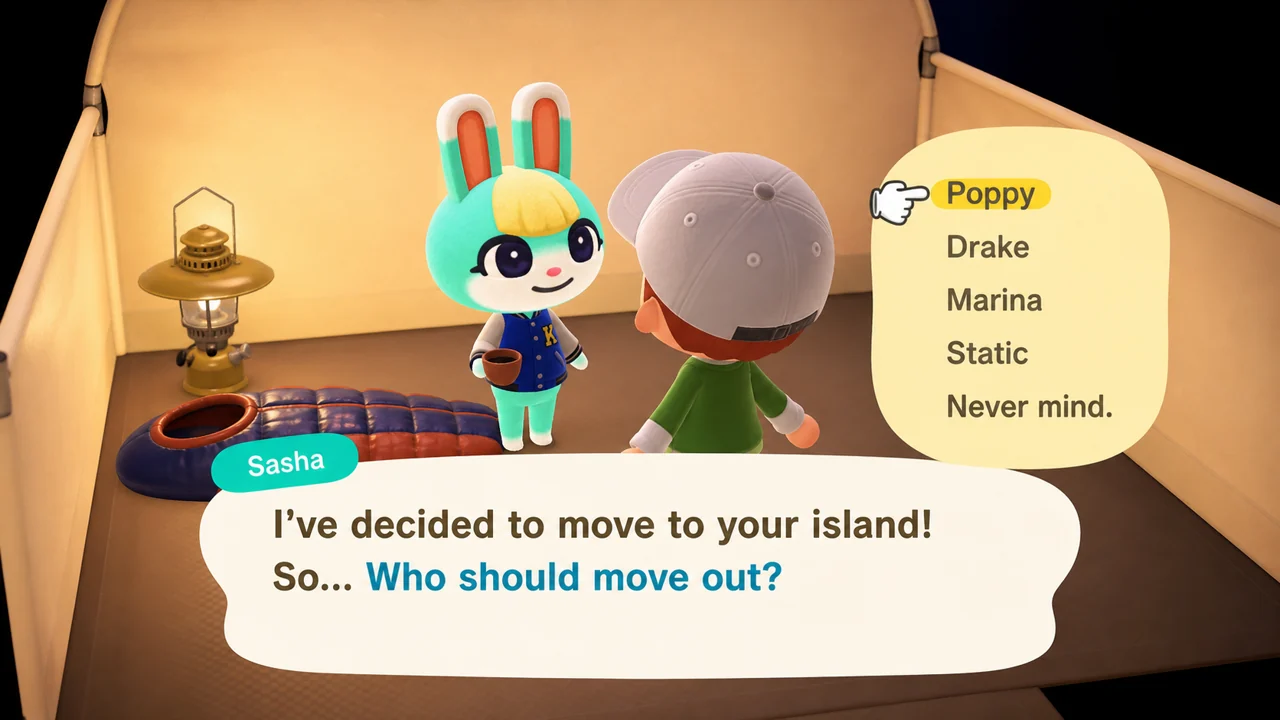
Choose a resident to replace if the island is full
If you already have 10 animal villagers and the amiibo camper has accepted your move-in invite, the game lets you choose which current resident they should negotiate with. This is different from a random campsite visitor, who picks a random resident. After you confirm the choice, that resident starts packing immediately and moves out the next day; the selected resident cannot be changed after confirmation.
Starter picks
Use these when your goal is moving in a specific high-demand villager. Popularity changes, so treat this as a useful starting set rather than an absolute ranking.
Choose these when you want both a villager and their themed promotional item set.
Use these for posters, photos, The Roost visits, or supported Happy Home Paradise appearances. Do not treat them as move-in tools.
Rewards
After you know the campsite flow, match your goal to the right kind of card or figure. Villager cards are the reliable move-in path; special NPCs and most figures are better for appearances unless Nintendo lists them as a Ver. 3.0 crossover exception.
Best first buy
Villager cards
If your goal is a specific island resident, use that villager's Animal Crossing amiibo card.
Common trap
Most figures do not move in
Animal Crossing special-character figures are appearance tools. The main figure exception is Nintendo's Ver. 3.0 Zelda and Splatoon compatibility list.
Time cost
Three campsite visits
Complete three campsite requests with the same eligible card before move-in.
| Goal | Scan this | What happens | Watch out |
|---|---|---|---|
Best value Move in a specific villager | Eligible Animal Crossing villager card, Sanrio card, or supported Ver. 3.0 crossover figure | The character visits your campsite. After three completed DIY visits, eligible villagers can agree to move in. | You need Resident Services upgraded, the campsite unlocked, the first random campsite visitor handled, and the right amiibo for that character. |
High impact Pick who leaves when your island is full | The same eligible villager card | After the amiibo camper accepts, you can choose which current resident they should replace. | Only confirm after you are sure. The selected resident starts packing and the choice cannot be changed afterward. |
Easy reward Unlock posters and catalog rewards | Supported Animal Crossing cards or figures | Character posters become orderable from Nook Shopping. Sanrio cards also unlock themed promotional items. | A poster is usually a catalog unlock, not an item that drops directly into your pocket. |
Creative use Set up photo scenes at Photopia | Supported cards or figures | The character appears in Harv's studio so you can pose them in photo scenes. | Photopia is separate from the campsite. It does not move anyone to your island. |
DLCAppearance use Call characters to The Roost or HHP | Supported character cards or figures | Characters can visit The Roost. In Happy Home Paradise, supported amiibo can be called for vacation homes. | The Roost requires the museum cafe. Happy Home Paradise requires the paid DLC. |
Ver. 3.0 Use Zelda or Splatoon figures | Zelda or Splatoon figures on the Ver. 3.0 compatibility list | Tulin, Mineru, Cece, or Viché can visit your island, and themed items become available in Nook Shopping. | The game must be updated to Ver. 3.0 or later, and not every figure in those series maps to the same character. |
LimitedNot for move-in Use Animal Crossing figures or special NPC cards | Animal Crossing figures or special NPC cards | Good for posters, Photopia, The Roost, and special appearances where supported. | Tom Nook, Isabelle, Blathers, Brewster, and most other NPCs cannot become normal island residents. |
Cards vs figures
| Amiibo type | Best use | Can move in? | Notes |
|---|---|---|---|
| Villager cards | Campsite invite | Yes | Best option for moving in a specific eligible villager. |
| Sanrio cards | Sanrio villagers plus themed items | Yes | Includes Rilla, Marty, Etoile, Chai, Chelsea, and Toby. |
| Special NPC cards | Posters, photos, The Roost, HHP, hotel | No | NPCs can appear in supported modes but do not become island residents. |
| Animal Crossing figures | Posters, photos, The Roost, hotel | No | Useful for special characters such as Isabelle, Tom Nook, K.K., Celeste, and Blathers. |
| Zelda and Splatoon figures | Tulin, Mineru, Cece, Viché, and themed items | Yes, official list only | Nintendo's Ver. 3.0 list maps eligible Zelda/Splatoon figures to Tulin, Mineru, Cece, or Viché; Big Man is listed as Cece or Viché. |
| Other non-Animal Crossing figures | Promotional items in specific cases | No | Most other figures do not invite residents. Check compatibility before assuming a figure can move someone in. |
Villager cards
Sanrio cards
Special NPC cards
Animal Crossing figures
Zelda and Splatoon figures
Other non-Animal Crossing figures
Beyond campsite
Posters
Posters are one of the simplest amiibo rewards in New Horizons. After you scan a supported Animal Crossing amiibo in a compatible place, that character poster can appear in Nook Shopping. It is not a one-time prize that drops into your pocket immediately, so check the shopping catalog afterward.
This is also why figures still matter even if they cannot move into your island as villagers. A Tom Nook, Isabelle, K.K., Celeste, or Blathers figure may be useful for posters and scenes even though that character will not take a normal resident plot.
Photopia
Photopia is the photo studio on Harv's Island. After Harvey invites you, fly from the airport to his island, enter the studio, arrange the room, and scan supported amiibo while you are setting up the scene. Both cards and figures can be useful here.
Photopia does not move anyone to your island. Think of it as a staging tool for photos, posters, and character scenes. Some characters may have restrictions, so use the full compatibility page when you need to confirm a specific card or figure.
The Roost
Once The Roost is available in the museum, use the amiibo Call Center inside the cafe to invite supported characters for a coffee visit. This is separate from the campsite flow and works with characters that make sense for The Roost feature.
A Roost visit is a character appearance, not a move-in request. Special NPCs can show up in supported modes while still being unavailable as ordinary residents.
Ver. 3.0
Version 3.0 adds a major exception to the old “cards invite villagers, figures do not” rule. Nintendo's official list includes many compatible The Legend of Zelda figures that map to Tulin or Mineru, plus many Splatoon figures that map to Cece or Viché. These figures also unlock themed furniture and fashion items through Nook Shopping.
This does not mean every non-Animal Crossing figure can move in a character, and it is not limited to only the new Tulin, Mineru, Shiver, Frye, or Big Man amiibo. Use the Ver. 3.0 compatibility list when you need to know exactly which figure maps to which crossover villager.
Sanrio
The Animal Crossing x Sanrio cards are special because they can unlock both Sanrio villagers and themed promotional items. The six villagers are Rilla, Marty, Etoile, Chai, Chelsea, and Toby.
Use the campsite invite flow when you want one of those villagers to move in. After scanning, check promotional item availability through the in-game shopping flow. If the card scans but the result is not what you expected, confirm that the game is updated and that you are using the New Horizons supported Sanrio cards.
Optional DLC
Happy Home Paradise adds another supported amiibo use case through Paradise Planning. In the office, use the scanner to call supported characters and design vacation homes for them.
This is optional DLC content. It does not replace the main island campsite rules, and it does not mean every special character can become a normal island resident. Treat it as a design-mode invitation system.
Ver. 3.0 hotel
Version 3.0 adds a resort hotel on the pier. At the hotel, compatible amiibo figures and cards can invite supported characters to stay as hotel guests. This is a hotel visit, not the same thing as a campsite move-in request.
Some characters are excluded, so do not use the hotel scanner as proof that a character can become an island resident. For move-ins, use the campsite flow and a compatible villager card or supported Ver. 3.0 crossover figure.
Troubleshooting
Quick diagnosis
Match the symptom first
Most New Horizons amiibo problems fall into one of three buckets: the campsite invite menu is not unlocked yet, the camper has not finished the three-request loop, or the controller is not reading the card at the NFC prompt.
Missing menu: finish the campsite and first random camper.
No move-in: invite the same eligible amiibo for three visits.
No scan: check the NFC spot, covers, and controller mode.
Why is Invite a Camper missing from Nook Stop?
You probably have not finished the campsite unlock yet. Resident Services needs to be a building, the campsite must be built, and the first random campsite visitor needs to move in before regular amiibo campsite invites appear. Harv's Island can still scan amiibo for photos, but that is not the move-in flow.
Why won't my amiibo villager move in?
One campsite visit is not enough. Invite the same eligible card on three separate visits, craft the requested item each time, then keep talking after the third request until the move-in conversation appears. If the game says there is no room, make sure you either have an open housing plot or a full 10-villager island so the replacement flow can start.
Why is my amiibo not scanning?
Wait until the game is actually asking for an amiibo scan, then hold it on the correct NFC spot: the right Joy-Con stick, the Switch Lite right stick, or the logo area on a Pro Controller. Remove thick stick covers, use an official NFC-capable controller, update the game and system, and turn Pro Controller wired communication off if you are using a cable.
Why can't I invite special NPCs?
Tom Nook, Isabelle, Blathers, Brewster, K.K., and other special characters are not normal residents. Their amiibo can still be useful for posters, Photopia, The Roost, Happy Home Paradise, or hotel appearances when supported; they just will not take a housing plot on your island.
What happens if my island already has 10 villagers?
After the amiibo camper has finished the three-request flow and agrees to move in, a full island lets you choose which current resident they should ask to leave. Only confirm when you are sure; the selected resident starts packing and the choice is not something you can reshuffle afterward.
Do amiibo figures work like amiibo cards?
Not for the main campsite move-in use case. Animal Crossing figures and special NPC cards are mostly appearance and catalog tools. The big exception is Ver. 3.0: Nintendo's compatible Zelda and Splatoon figure lists can invite Tulin, Mineru, Cece, or Viché and unlock themed items.
FAQ
Yes. The card is reusable; it is not consumed after a scan. The first scan may ask you to register a nickname and owner, and reusing the card does not skip the in-game rules. For a move-in, you still need the same eligible camper to visit and complete requests on three separate campsite visits.
The usual reason is story progress. The Nook Stop option appears after Resident Services has upgraded, the campsite is built, and your first random campsite camper has moved in. The three early house-plot villagers are not that campsite camper, so keep following Tom Nook's campsite tasks first.
They are not supposed to agree on the first visit. Bring back the same eligible amiibo for three campsite visits and make the DIY souvenir they request each time. On the third completed request, keep talking and ask again; that is when the move-in conversation normally opens.
Yes, once the eligible amiibo camper has completed the request loop and agrees to move in. If your island already has 10 animal villagers, the game lets you choose the resident they should negotiate with. That is different from a random campsite visitor, so do not confirm the replacement until you are sure.
Yes. Scanning a Sanrio card unlocks that character's themed items in Nook Shopping, and moving the villager in is a separate choice. If you want Rilla, Marty, Etoile, Chai, Chelsea, or Toby as residents, use the normal campsite process: invite them, craft their requests, and bring them back for three visits.
Most Animal Crossing figures do not invite ordinary residents. Use them for posters, Photopia, The Roost, hotel guests, and other supported appearances. For move-ins, use eligible villager cards, Sanrio cards, or the Ver. 3.0 Zelda and Splatoon figures that Nintendo lists for Tulin, Mineru, Cece, or Viché.
No. They already have fixed roles in the game, so their amiibo do not turn them into normal residents. Scan them for supported appearances instead: posters, Photopia, The Roost, Happy Home Paradise, or the resort hotel. If your goal is a new neighbor, use a villager card or a supported Ver. 3.0 crossover figure.
Nintendo groups them by target character, not just by the newest figures: compatible Zelda figures invite Tulin or Mineru, compatible Splatoon figures invite Cece or Viché, and Big Man can map to Cece or Viché. Check the exact list before buying, because a random Zelda or Splatoon figure is not guaranteed to call the character you want.
Open the Ver. 3.0 listUse the Smiibo game page when you need to search by card, figure, series, or game feature. This guide explains the rules; the compatibility page is better when you are checking a specific amiibo before buying or scanning it.
Search the full compatibility list


