Epona and companion scans
Start here if you want the two most distinct BOTW outcomes: a horse spawn or an active partner character.

BOTW amiibo field manual
In The Legend of Zelda: Breath of the Wild, amiibo scanning becomes available after you unlock the amiibo rune, usually about 45 minutes into gameplay. Enable amiibo in Options, select the amiibo rune during gameplay, press L, aim at clear ground, and scan. Each compatible figure normally works once per day per Nintendo Account.
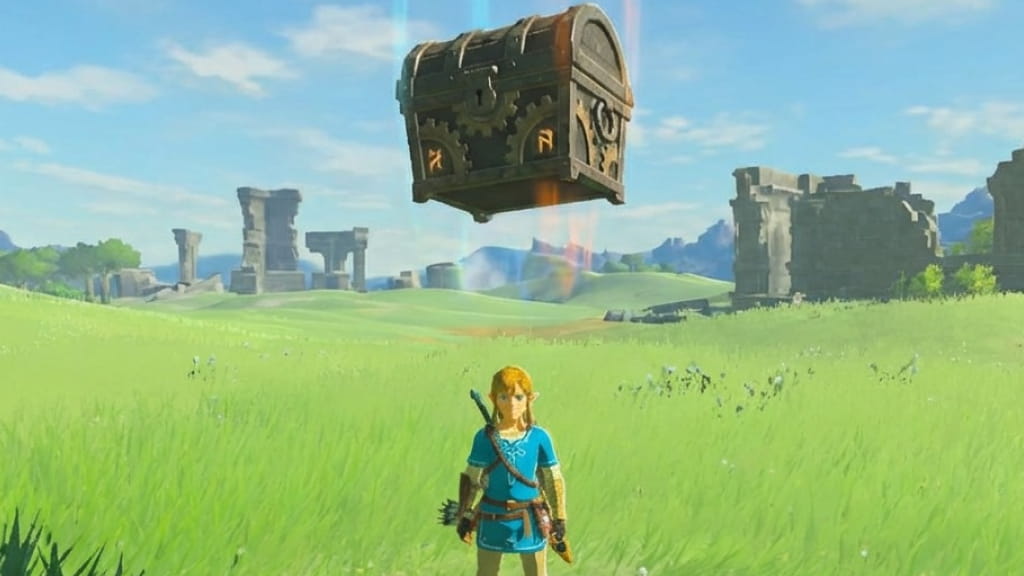
Scan steps
The most common mistake is stopping after you turn amiibo on in Options. That setting only enables the feature. The actual scan happens during gameplay: select the amiibo icon from the rune list, press L, aim the glowing sphere, then touch the figure to the NFC point.
Progress until the amiibo rune unlocks
Nintendo says amiibo scanning usually becomes available about 45 minutes into gameplay. If the setting is missing, keep progressing until the rune is available.
Open the in-game menu
Press + to open the menu. This setup step only changes the option; it is not where the scan happens.
Move to the System Menu
Press R until you reach the System Menu, then open Options.
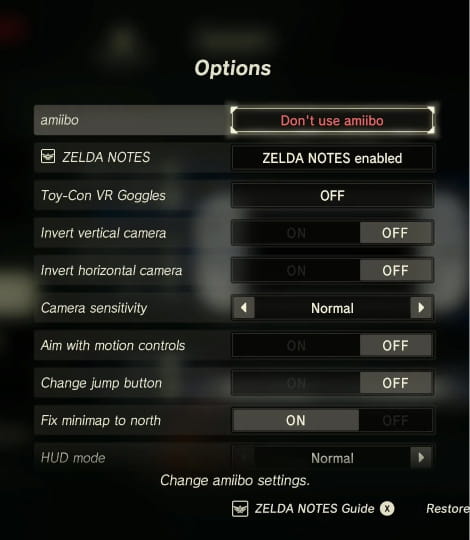
Change amiibo to Use amiibo
Find the amiibo setting and change it to Use amiibo. After that, exit back to gameplay before you try to scan.
Return to safe open ground
Choose a visible place with enough room for materials, a chest, Epona, or Wolf Link to appear. Rewards drop near the target area instead of all going directly into your inventory.
Open the rune list during gameplay
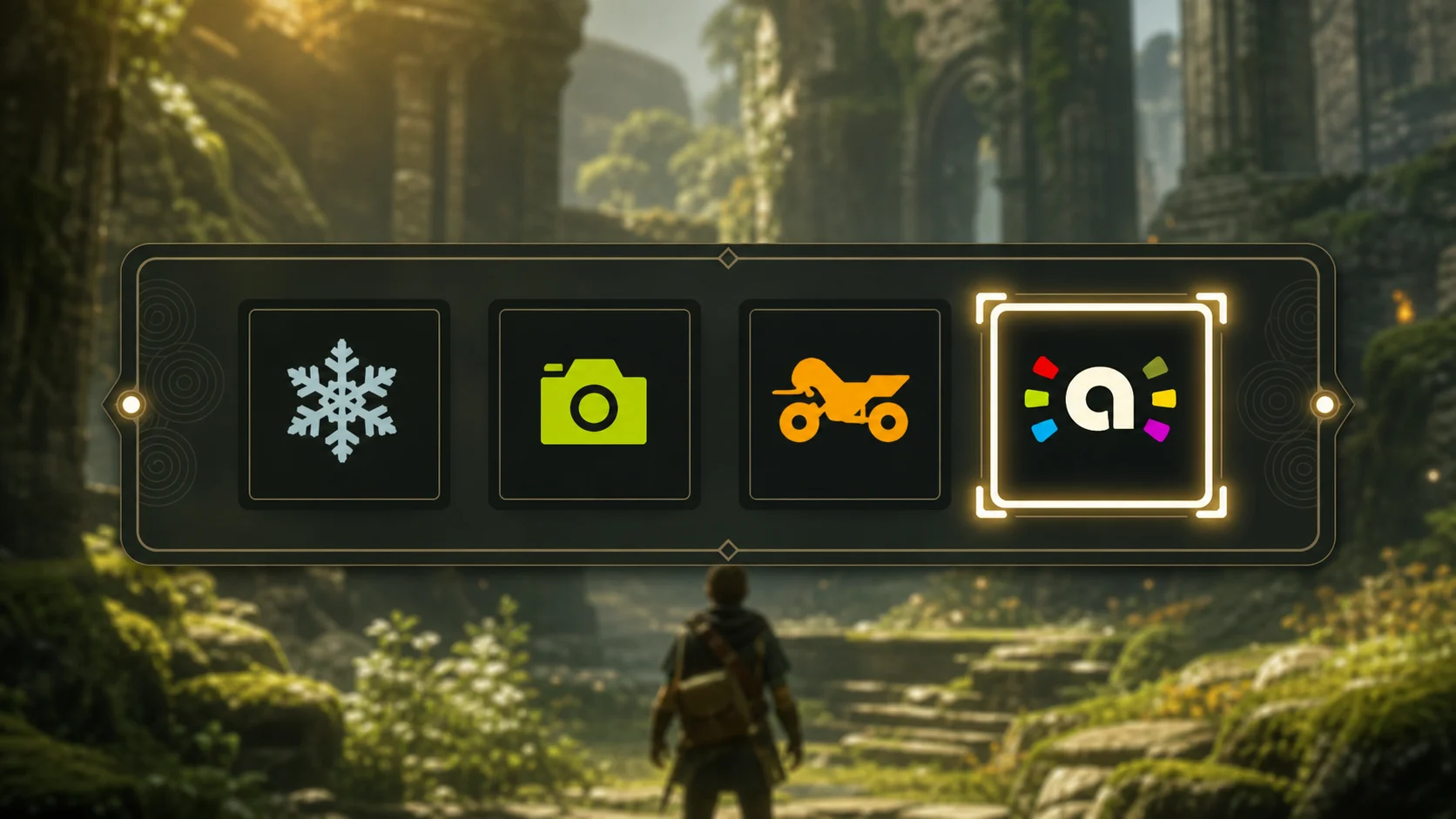
Press Control Pad Up to open the rune or ability list. The amiibo icon is selected from this gameplay list, not from Options.
Select the amiibo icon
Highlight the amiibo icon in the rune list. Once selected, Link can aim the amiibo rune like the other runes.
Press L to activate the amiibo rune
After you return to gameplay, press L. A glowing sphere appears to show where the reward should land.
Aim the glowing sphere at valid ground
Move the sphere onto clear, reachable ground. Avoid cliffs, water, ceilings, crowded objects, or tight terrain if you are trying for Epona.
Touch the figure to the NFC touchpoint
On Joy-Con, Joy-Con 2, and Switch Lite, use the right stick. On a Nintendo Switch Pro Controller, scan over the top-center Nintendo Switch logo; on Switch 2, the original Switch Pro Controller has NFC disabled while wired.
Collect or handle the result
Pick up materials, open the chest, register Epona at a stable, or use Wolf Link as a companion depending on the scan result. Random rewards may need another daily scan.
Goal-based scans
Start here if you want the two most distinct BOTW outcomes: a horse spawn or an active partner character.
Use these for Breath of the Wild themed daily rolls, including the four Champion figures, without making item-level guarantees.


Use classic Zelda and Zelda-character Smash figures when you want legacy armor, series callbacks, and old-school reward lanes. Results can still be random.
Rewards
The scanning rules most players need before they start daily rolls: unlock timing, where to enable amiibo, the once-per-account limit, Epona, Wolf Link, Switch 2 Edition bonus use, and where to open the full compatibility list.
| Topic | Answer | Notes |
|---|---|---|
| Unlock timing | Usually about 45 minutes | Nintendo says scanning becomes available after the amiibo rune is unlocked. |
| Enable setting | Options -> Use amiibo | The setting appears after the rune is available. |
| Scan location | Rune list, then L Button | Use Control Pad Up to select the amiibo icon, then press L to aim the sphere. |
| Daily limit | Once per day per Nintendo Account | Applies per compatible amiibo figure. |
| Switch 2 Edition | Bonus use available | ZELDA NOTES rewards one bonus use for that figure after five recorded scans of the same compatible amiibo. Do not read this as same-day repeat scanning. |
| Epona | Specific Link amiibo | Smiibo data maps Epona to Super Smash Bros. Link and Link - Twilight Princess. Nintendo Support says Epona can appear randomly. |
| Wolf Link | Wolf Link amiibo | Summons Wolf Link as a partner character who attacks enemies and helps find items. |
| Zelda-related amiibo | Best rewards | Nintendo calls out BOTW, Zelda 30th Anniversary, and other Zelda figures for helpful items or special items. |
| Non-Zelda amiibo | Generic expectation only | Do not expect Epona, Wolf Link, classic armor, or named Zelda rewards unless compatibility data confirms a feature. |
| Full list | Game page | Use the full Breath of the Wild game page when you need every searchable compatible amiibo. |
Unlock timing
Usually about 45 minutes
Nintendo says scanning becomes available after the amiibo rune is unlocked.
Enable setting
Options -> Use amiibo
The setting appears after the rune is available.
Scan location
Rune list, then L Button
Use Control Pad Up to select the amiibo icon, then press L to aim the sphere.
Daily limit
Once per day per Nintendo Account
Applies per compatible amiibo figure.
Switch 2 Edition
Bonus use available
ZELDA NOTES rewards one bonus use for that figure after five recorded scans of the same compatible amiibo. Do not read this as same-day repeat scanning.
Epona
Specific Link amiibo
Smiibo data maps Epona to Super Smash Bros. Link and Link - Twilight Princess. Nintendo Support says Epona can appear randomly.
Wolf Link
Wolf Link amiibo
Summons Wolf Link as a partner character who attacks enemies and helps find items.
Zelda-related amiibo
Best rewards
Nintendo calls out BOTW, Zelda 30th Anniversary, and other Zelda figures for helpful items or special items.
Non-Zelda amiibo
Generic expectation only
Do not expect Epona, Wolf Link, classic armor, or named Zelda rewards unless compatibility data confirms a feature.
Full list
Game page
Use the full Breath of the Wild game page when you need every searchable compatible amiibo.
Reward types
Treat amiibo rewards as a daily roll, not a guaranteed shopping list. Zelda-related compatible figures are the main scans for materials, weapons, rare items, and character-themed paraglider fabrics.
| Reward type | Best source | What to know |
|---|---|---|
| Materials | Many compatible Zelda-related amiibo | Food, plants, fish, meat, boxes, barrels, arrows, ores, or similar resources depending on the figure. |
| Treasure chest rewards | BOTW, Champion, classic Zelda, and Zelda-character Smash figures | Chest contents can include weapons, shields, rare items, or exclusive items. The result is random. |
| Epona | Super Smash Bros. Link and Link - Twilight Princess in Smiibo data | Epona is a horse spawn, not a chest. Scan on open ground and register her at a stable. |
| Wolf Link | Wolf Link amiibo | Summons Wolf Link as a partner character. He fights and helps find items. |
| Champion-themed rewards | Daruk, Mipha, Revali, Urbosa | Use Champion amiibo for the Champion reward lane, but do not treat exact item drops as guaranteed. |
| Bonus use | ZELDA NOTES on Switch 2 Edition | After five recorded scans of the same compatible amiibo, ZELDA NOTES can grant one bonus use for that figure on that day. |
Materials
Treasure chest rewards
Champion-themed rewards
Special rules
Daily limit
The normal rule is simple: each compatible amiibo figure can be used once per day per Nintendo Account. If a scan only gives materials, that does not prove the figure is wrong. Rare chest rewards and Epona can require later daily rolls.
Rotate compatible Zelda-related figures when you want broad reward coverage, but keep the page focused on compatibility-confirmed features. The guide preview is not a replacement for the full searchable game page.
Switch 2 Edition
If you are playing The Legend of Zelda: Breath of the Wild - Nintendo Switch 2 Edition, ZELDA NOTES adds a tracking layer in the Nintendo Switch App. Nintendo says ZELDA NOTES is exclusive to Nintendo Switch 2 Editions and does not require Nintendo Switch Online.
After ZELDA NOTES records five scans of the same compatible amiibo, it rewards one bonus use of that figure on that day. Keep this separate from the standard Switch instructions so players do not think the app is required for ordinary scanning or that it enables unlimited same-day scans.
Epona
If your goal is Epona, scan Super Smash Bros. Link or Link - Twilight Princess. In the current Smiibo database, those are the two Breath of the Wild compatibility entries mapped to Epona.
Epona is a horse spawn, not a treasure chest reward. Scan on clear ground near a route to a stable, and register her as soon as she appears. Nintendo notes that some amiibo items, including Epona, can appear randomly, so a materials drop is not proof that the amiibo is wrong.
Wolf Link
Wolf Link works differently from the chest-based Zelda amiibo. Scanning the Wolf Link amiibo brings Wolf Link into Breath of the Wild as a partner character.
Nintendo describes Wolf Link as a companion who attacks enemies on his own and helps you find items you are searching for. Use this scan when you want an active helper, not another rare-item chest.
Troubleshooting
First check
Find the failure point before blaming the figure
Most community reports fall into one of four buckets: the rune is not unlocked, the player enabled amiibo but never selected the rune in the field, the reward target is invalid, or the controller is being scanned at the wrong NFC point. Work through those in order before chasing random-drop explanations.
Can you see Use amiibo in Options?
Can you aim the glowing sphere in the field?
Can the controller read a tag at the NFC point?
I cannot find Use amiibo in Options. What should I check?
Keep progressing until the amiibo rune is available. Nintendo describes amiibo support as unlocking after the rune, usually about 45 minutes into play. If the setting is missing, you are likely too early in the game; a bad figure or Pro Controller would not remove the menu option.
I enabled amiibo, but I still cannot scan. Where is the missing step?
Options only turns the feature on. The scan happens after you return to gameplay, open the rune list with Control Pad Up, select the amiibo icon, press L, and aim the glowing sphere. Many failed-scan reports come from stopping at the Options toggle.
The game reacts, but no reward appears. What usually caused it?
First check the target, not the amiibo. The reward appears near the glowing sphere, so aim at flat, reachable ground with enough space for materials, a chest, Epona, or Wolf Link. Avoid cliffs, water, roofs, tight objects, and combat clutter when testing.
The controller does not read the amiibo. How do I isolate NFC trouble?
Test the NFC point with one known-good figure, then try the problem figure. Joy-Con, Joy-Con 2, and Switch Lite scan on the right stick. A Nintendo Switch Pro Controller scans over the top-center logo. If nothing reads anywhere, test another controller before changing the game route.
Why did I only get food, fish, barrels, arrows, or other materials?
That result is often normal. Community threads about rare armor, weapons, and Epona frequently turn out to be random-roll expectations. A compatible figure can still give ordinary materials today; scan it again on a later daily reset if you are chasing a rare lane.
Why did Epona not appear from my Link amiibo?
Use an eligible Link figure first: current Smiibo data maps Epona to Super Smash Bros. Link and Link - Twilight Princess. Then check three practical issues seen in community reports: the result can be random, the spawn target needs horse-friendly ground, and the same figure may already be used for the day.
Epona appeared, but I did not register her. Did I lose the chance?
Do not treat Epona like an inventory reward. If she appears, stop your route and register her at a stable. Community Epona threads often start after players spawn her too early, leave her unregistered, or keep scanning in awkward terrain. The cleanest fix is to scan near a stable route.
Why did Wolf Link vanish after a shrine, fast travel, gliding, or combat?
Wolf Link behaves like a companion, not a dropped item. If he gets separated by travel, terrain, or an area transition, try calling him again from safe ground. If he was defeated or the figure is locked for the day, wait for the next daily use instead of troubleshooting NFC.
Why is Wolf Link weaker than people online describe?
A low-health Wolf Link complaint is usually not a scan failure. Nintendo only needs the scan to summon the companion, then Wolf Link fights and helps find items. Treat heart-count discussions as saved-data or route context, and avoid mixing that with controller, rune, or compatibility troubleshooting.
Why can't my Pro Controller scan amiibo?
Do not scan the stick on a Nintendo Switch Pro Controller. Nintendo places its amiibo touchpoint over the top-center Nintendo Switch logo. On Nintendo Switch 2, Nintendo also notes that the original Switch Pro Controller NFC touchpoint is disabled while that controller is connected by wire.
Can I reload, change the clock, or scan again for a better drop?
This guide documents Nintendo's normal rule: each compatible amiibo figure works once per day per Nintendo Account. Some community routes use save-before-scan reloading to chase random rolls, but do not confuse that with official daily-use behavior or with ZELDA NOTES bonus use.
Do non-Zelda amiibo or third-party cards solve these problems?
They are not the fix for Epona, Wolf Link, classic armor, or named Zelda rewards. This page verifies Nintendo guidance and current Smiibo compatibility data. If a card pack or non-Zelda figure reads but gives generic output, check the full compatibility list before treating it as a broken scan.
FAQ
Nintendo says compatible amiibo figures can be scanned after you unlock the amiibo rune, usually about 45 minutes into gameplay. If the Options setting is not visible yet, keep playing until the rune is available. Once it appears, turn on Use amiibo in Options and scan from the in-field rune list.
Press +, move to the System Menu with R, open Options, and change amiibo to Use amiibo. Then leave the menu, press Control Pad Up during gameplay, choose the amiibo icon, press L, aim the glowing sphere at open ground, and touch the figure to the controller NFC point.
The most common missed step is scanning from the wrong place. The Options toggle only enables the feature; it does not scan. Return to the field, select the amiibo rune, press L, and confirm that the glowing target is on valid ground before checking NFC placement or replacing a figure.
The normal rule is once per compatible amiibo figure per day per Nintendo Account. Breath of the Wild - Nintendo Switch 2 Edition can add one ZELDA NOTES bonus use after five recorded scans of the same compatible figure, but that is a limited exception, not unlimited same-day scanning.
Current Smiibo data maps Epona to Super Smash Bros. Link and Link - Twilight Princess. Epona appears as a horse spawn, not a treasure chest or inventory item. Scan on clear ground, preferably near a stable route, so you can register her immediately if the random result appears.
No. Nintendo Support treats Epona as one of the amiibo items that can appear randomly. If an eligible Link amiibo gives materials instead, that does not prove the figure is wrong. Check that you used Super Smash Bros. Link or Link - Twilight Princess, then try again on another day.
Register her first whenever she appears. Community troubleshooting threads often involve players spawning Epona, leaving her unregistered, then assuming the amiibo failed. If you are specifically hunting Epona, scan on safe open ground near a stable and make registration the next step before exploring or scanning more figures.
Wolf Link summons a companion character. Nintendo says Wolf Link appears in the game, attacks enemies on his own, and helps you find items you are searching for. He is not a chest reward, so troubleshoot him as a partner who can get separated or defeated, not as a missing item drop.
A vanished Wolf Link is usually a companion-state problem, not a controller problem. Area transitions, terrain, fast travel, combat, or defeat can separate him from Link. Try summoning from safe open ground; if the game rejects the same figure for the day, wait for the daily reset instead of retesting the NFC reader.
That is expected sometimes. Many compatible Zelda amiibo can drop useful materials, and rare armor, rare weapons, Epona, or other special outcomes are random rolls. Community rare-drop threads often come from expecting one guaranteed prize. Treat each compatible figure as a daily chance, not a direct purchase.
Choose by goal. Use Super Smash Bros. Link or Link - Twilight Princess for Epona, Wolf Link for the companion, Breath of the Wild figures for BOTW-themed daily rolls, Champion amiibo for Champion reward lanes, and classic Zelda or Zelda-character Smash figures for legacy reward lanes. Exact drops can still be random.
Yes. Current Smiibo data includes Revali, Mipha, Daruk, and Urbosa in the Breath of the Wild material and rare or exclusive reward bucket. Use them as Champion-themed daily scans, but do not write any exact armor, weapon, or item result into your route as guaranteed for that scan.
ZELDA NOTES is for Breath of the Wild - Nintendo Switch 2 Edition. Nintendo says it tracks compatible amiibo scans in the Nintendo Switch App and can reward one bonus use after five recorded scans of the same compatible figure. It is not required for ordinary Switch, Switch Lite, or Switch OLED scanning.
No. Nintendo says ZELDA NOTES does not require a Nintendo Switch Online membership. The practical requirement is version support: ZELDA NOTES belongs to the Nintendo Switch 2 Edition path. Players on the original Switch family can ignore the app and use the normal in-game amiibo rune flow.
The full searchable list is on Smiibo's Breath of the Wild game page. Use that page when you need every compatible figure, the current Smiibo database mapping, and complete route context instead of this shorter troubleshooting guide.
Open the full compatibility list


